Search by Keywords | Ink Cartridge Model

We use cookies to personalize content and ads, provide social media features, and analyze our traffic. By clicking Privacy Policy.
Please contact us for more information
We use cookies to personalize content and ads, provide social media features, and analyze our traffic. By clicking Privacy Policy.
Please contact us for more information
Share this article to your friends
What's Inside a TIJ Ink Cartridge? A Complete Guide to the Print Head, Chip, and Ink
Highlights
Our guide, What Is TIJ Thermal Inkjet Printing? A Complete Beginner's Guide, covered the basics of thermal inkjet technology, but only briefly touched on what's actually inside the cartridge.
Looking at the technology that actually affects print quality, device compatibility, and real-world performance, an industrial TIJ cartridge comes down to three parts: the print head, the electronic identification and communication interface, and the ink.
A complete cartridge also includes the housing, ink reservoir and supply structure, flex circuit, and electrical contacts — and the internal architecture can vary between brands and models. This article focuses on the print head, chip, and ink to help buyers and engineers understand what actually differs between TIJ cartridges.
What's Inside a TIJ Cartridge?
Print performance isn't determined by ink alone. The print head forms and ejects tiny ink droplets with precision; some cartridges include a chip, smart card, or other electronic interface for device recognition, authentication, and data exchange; and the ink formulation affects material compatibility, drying speed, and adhesion.
Each part plays a different role, but together they determine the final print quality.
Print Head: The Core of Dot Precision and Resolution
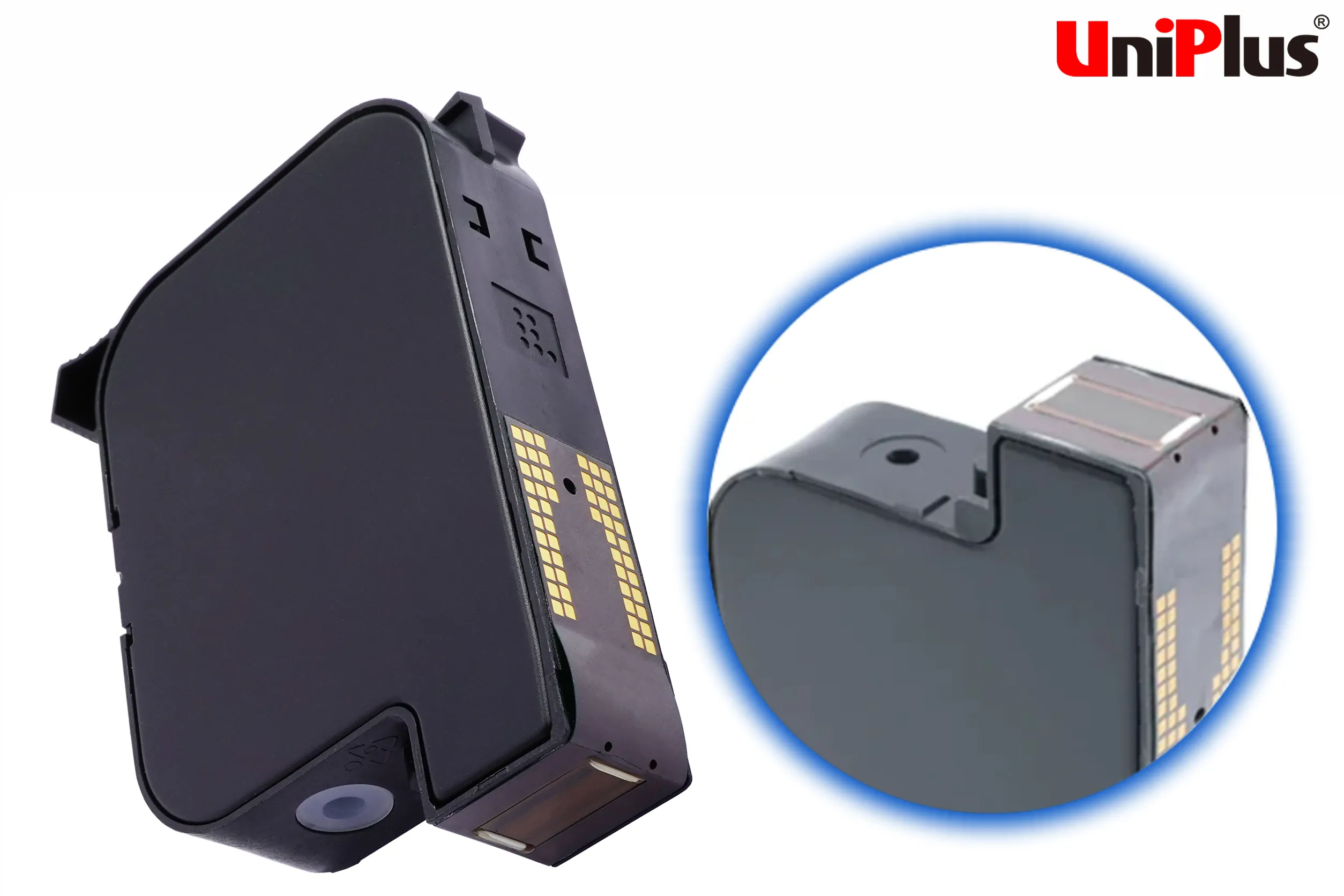
The print head is the component that actually performs the jetting action inside a TIJ cartridge.
A thermal inkjet print head contains a large number of tiny nozzles and heating elements. When the device sends a print signal, the heating element rapidly heats a small amount of ink, vaporizing it into a bubble. The bubble expands, generating pressure that ejects a droplet through the nozzle. Once the bubble collapses, ink refills the firing chamber, ready for the next cycle.
Resolution specifications vary across different TIJ 2.5 print head architectures, and are commonly used to print batch numbers, expiry dates, serial numbers, 1D barcodes, and QR codes. Actual output resolution still depends on print head specifications, the device's drive method, print speed, and system parameters — so print head specs alone can't determine final print quality.
Why Do Print Heads Wear Out Over Time?
According to research on thermal inkjet print head failure mechanisms, long-term operation can be affected by several physical mechanisms, including cavitation damage from repeated bubble collapse, thermal stress and fatigue from repeated heating cycles, and electromigration in the heating element. These effects are generally linked to the cumulative number of firing cycles, operating conditions, and the print head's own materials and manufacturing process.
As a result, refilled or remanufactured cartridges that reuse an existing print head don't reset the head's cumulative wear. If a print head has already been through a high number of firing cycles, its remaining service life may still be affected by how it was used previously.
Chip: The Electronic Interface Between Cartridge and Device
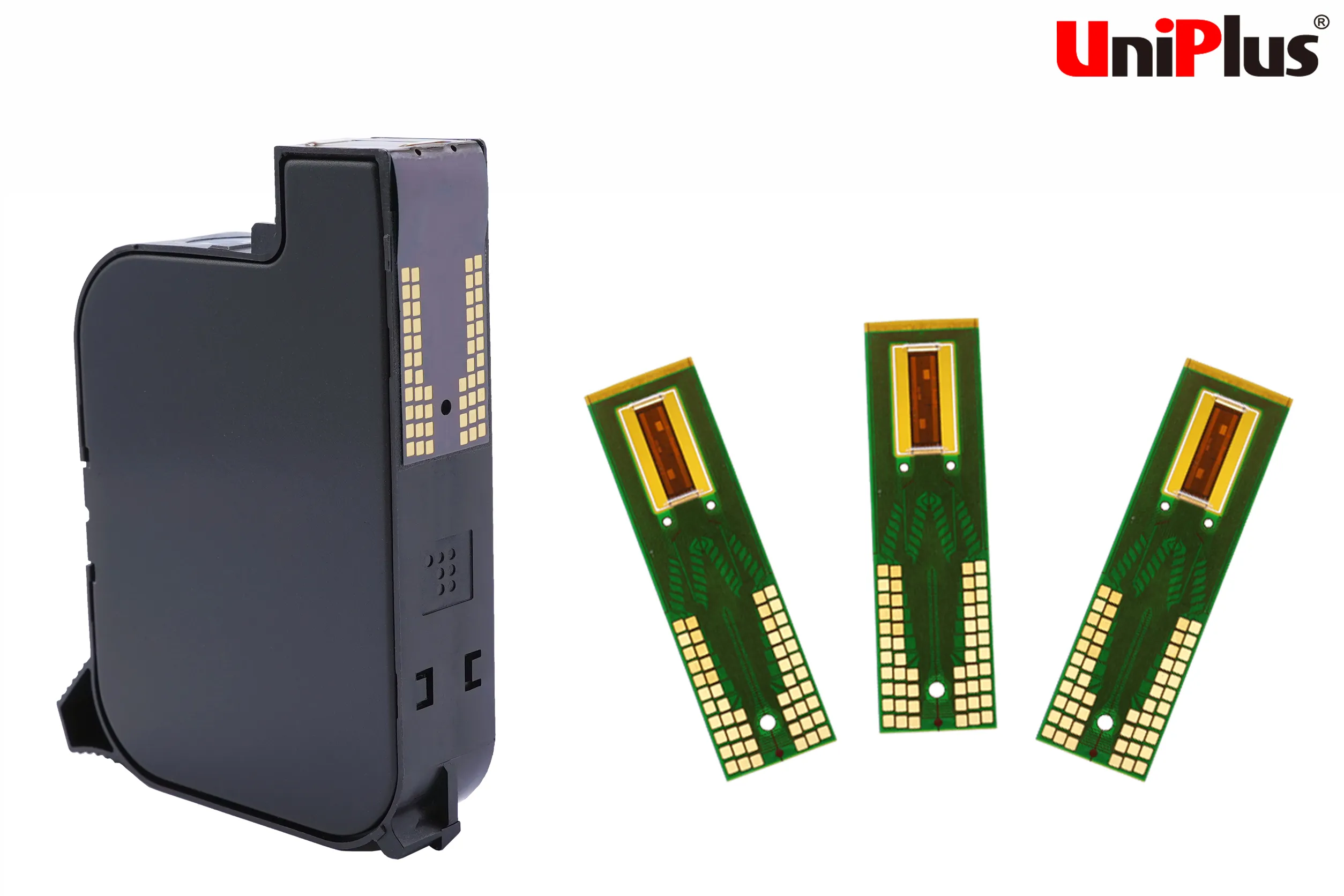
Some industrial TIJ cartridges include a chip, smart card, or other form of electronic interface. Depending on the cartridge and device architecture, this interface may be used for cartridge identification, authentication, ink-usage data, or print parameter control. Not all TIJ cartridges use the same chip architecture, so compatibility can't be assumed just because two cartridges look alike or share the same print head size.
When the identification method, electronic interface, or communication protocol between a device and cartridge doesn't line up correctly, it can result in authentication failure, an error message, or the device failing to start printing.
Why Won't the Same Cartridge Spec Work on Every Device?
Different TIJ systems may use different control and cartridge-identification designs. So even if two cartridges share a similar print head specification, they can't automatically be assumed to be interchangeable across devices. Actual compatibility still needs to be verified against the specific device model, control system, and electronic interface.
The Uniplus team can evaluate compatibility for specific machine models. Providing the complete machine brand, model, and current cartridge specification in advance helps reduce the time needed for compatibility evaluation.
Ink: What Determines Material Compatibility and Real-World Performance
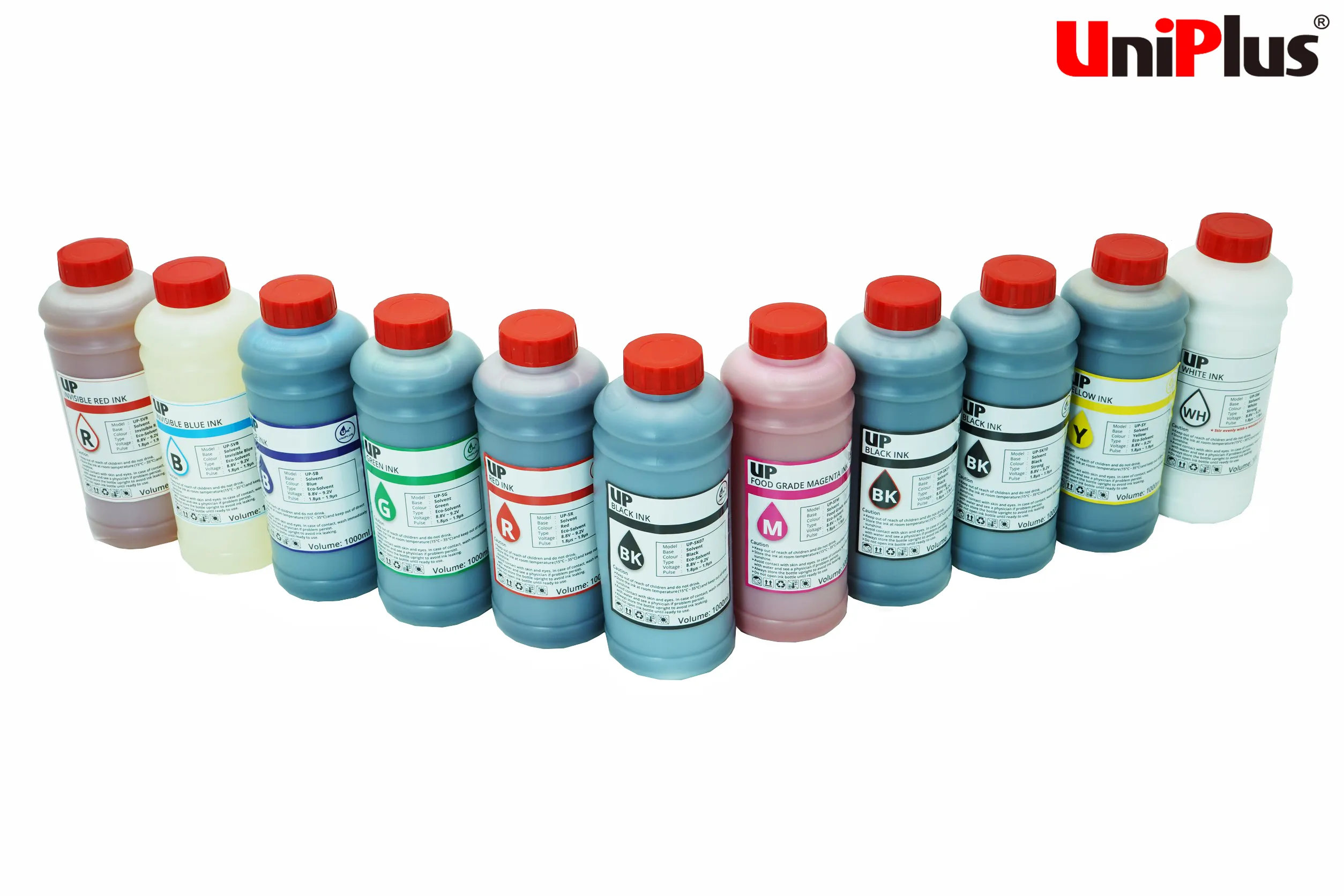
The chemical formulation of TIJ ink directly affects which materials it can print on, along with drying speed, adhesion, and water resistance.
When discussing TIJ ink, it's worth noting a common classification mix-up: "aqueous vs. solvent-based" and "dye vs. pigment" are not the same classification level. By primary liquid system, ink can be categorized as aqueous or solvent-based; by colorant type, it can be further split into dye-based or pigment-based.
Which Materials Work Best with Aqueous Ink?
Aqueous TIJ ink is commonly used on absorbent, porous materials such as cardboard, corrugated board, paper, paper labels, paper bags, and wood. Because the ink can penetrate the material's fibers, it typically achieves good drying and print quality. Dye-based and pigment-based inks can differ in optical density, color performance, water resistance, and other physical properties, so performance still needs to be judged based on the actual ink formulation rather than assumed from the "dye" or "pigment" label alone.
Which Materials Work Best with Solvent-Based Ink?
Some solvent-based TIJ inks are formulated specifically for non-porous materials and fast-drying requirements, commonly used on plastic, metal, glass, foil, film, and laminated packaging. Because these surfaces have lower absorbency, the ink formulation needs to be engineered for faster drying and better material compatibility.
It's worth noting that surface energy and chemical properties vary widely across different plastics, metals, and coatings. Even within the same solvent-based ink category, adhesion and abrasion resistance can't be assumed to be identical across all PET, PE, PP, glass, or metal substrates. Before rolling out on a production line, it's still recommended to test adhesion, drying, and abrasion resistance on the actual product.
Full ink specifications and compatible materials are available on the industrial ink cartridge product page.
How Does TIJ 2.5 Relate to Ink?
As thermal inkjet technology has evolved from early generations to TIJ 2.5, the print head, ink, and system controls have all continued to advance. It's worth clarifying that "resolution" is primarily a performance metric of the print head structure and print control system — it's not accurate to describe the ink itself as having a 600 dpi resolution. The ink formulation's role is to maintain stable jetting under a given print head and drive configuration, while also meeting drying, adhesion, and material compatibility requirements.
So when evaluating TIJ 2.5 ink, it's not enough to confirm compatible materials — you also need to consider how well the ink matches the print head architecture and actual print conditions.
Why Isn't the Technical Bar for Industrial TIJ Cartridges Just About the Ink?
When evaluating TIJ cartridges, most people start by comparing ink capacity and unit price. But the technical bar for industrial TIJ cartridges isn't just about the ink formulation.
A thermal inkjet print head contains tiny nozzles, heating elements, and precision fluid channels, manufactured using processes such as silicon substrates, thin films, photolithography, and etching. These structures need to maintain stable, repeatable jetting at an extremely small scale, which places high demands on design and manufacturing precision.
Thermal inkjet technology itself also has a long history of patents and process development. Canon filed its foundational Bubble Jet patent application in 1977 — one of the earliest foundational patents in thermal inkjet globally — while HP independently developed its own thermal inkjet technology, launching the ThinkJet printer using it in 1984. Beyond the print head, some TIJ cartridges also use a smart card or other electronic identification mechanism for authentication, ink-usage data, or parameter control.
As a result, evaluating an industrial TIJ cartridge means looking at three areas at once: whether the print head can maintain stable jetting, whether the electronic interface works correctly with the device, and whether the ink performs reliably on the intended material and production line conditions. For buyers, comparing unit price alone makes it difficult to fully evaluate long-term cost of use.
In Uniplus's experience working with customers, most inquiries start with ink price and capacity — print head stability and electronic interface compatibility tend to come up only later, even though they're often what actually determines long-term uptime.
How Do the Print Head, Chip, and Ink Work Together to Determine Print Quality?
The print head, electronic interface, and ink each play a different role: the print head determines whether droplets are ejected stably and precisely; the electronic identification and communication interface affects whether the device can correctly recognize and control the cartridge; and the ink determines whether the droplet dries properly and stays sharp on the intended material.
When one of these three areas has a problem, the symptoms can look different. Print head or ink issues tend to show up as missing dots, irregular jetting, blurred text, or lower barcode read rates; electronic identification or communication issues tend to cause authentication failures or prevent the device from starting to print at all. So when a print quality issue shows up on the line, it shouldn't automatically be blamed on "bad ink" — it's worth checking print head condition, device compatibility, and ink-material match as three separate possibilities.
How to Evaluate the Three Core Technologies When Buying Industrial TIJ Cartridges
Print Head Stability
Check whether the supplier runs factory print testing or nozzle inspection processes, rather than relying only on a claim of "compatible with OEM specs" as proof of quality. If your application involves high-speed lines, barcodes, or continuous high-volume printing, ask for the specific test conditions used.
Electronic Interface Compatibility
Check whether the supplier has real compatibility-evaluation capability for the chip or electronic interface, and actual device testing experience. Providing the complete machine model and current cartridge information upfront usually speeds up compatibility assessment.
Ink Formulation
Choose ink based on the actual print material and production line requirements. Start by confirming whether the surface is absorbent or non-absorbent, then evaluate drying speed, adhesion, water resistance, and abrasion resistance needs. Don't choose ink based solely on the "aqueous" or "solvent-based" label — testing on the actual substrate is still an important verification step.
The print head, electronic interface, and ink each handle a different function on their own, but in practice they need to be evaluated together — that's how you reduce the cost of repeated testing, downtime, and compatibility issues.
Based on Uniplus's experience troubleshooting print issues with customers, most cases don't trace back to a single failed part — they trace back to a mismatch between the print head, electronic interface, or ink and the actual equipment or material conditions on site.
Need Help Evaluating TIJ Cartridge Compatibility?
If you need to confirm cartridge compatibility for a specific machine model, or determine whether your material calls for aqueous or solvent-based TIJ ink, share your equipment brand, machine model, current cartridge specification, and print material. The Uniplus team will provide recommendations based on your actual application.
Contact Us